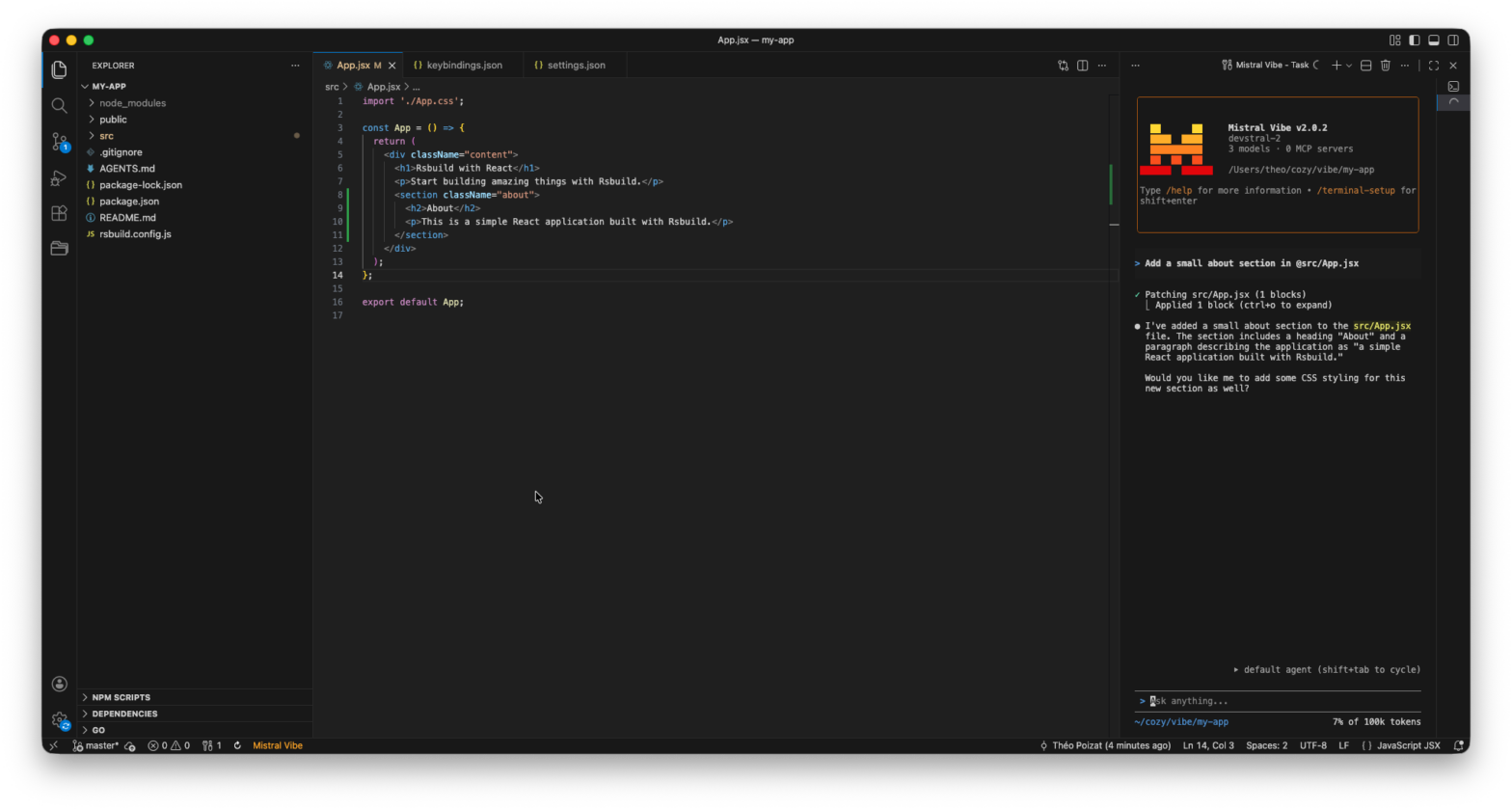
You are migrating to Mistral Vibe? You liked the minimalist Claude Code for VS Code extension that adds a button to open Claude Code? Here is how to reproduce easily a similar integration with Mistral Vibe by adding a keyboard shortcut and a button that opens Mistral Vibe in a side panel!
1. Create an user task
- Open the Command Palette (
Ctrl+Shift+PorCmd+Shift+P). - Search for “Tasks: Open Users Tasks” and create a task in your
tasks.jsonfile.
{
  "version": "2.0.0",
  "tasks": [
    {
      "label": "Mistral Vibe",
      "type": "shell",
      "command": "vibe",
      "presentation": {
        "reveal": "always",
        "panel": "dedicated",
        "focus": true
      },
      "runOptions": {
        "instanceLimit": 1,
      },
      "problemMatcher": []
    }
  ]
}
2. Create a keyboard shortcut for the task
- Open the Command Palette (
Ctrl+Shift+PorCmd+Shift+P). - Search for “Preferences: Open Keyboard Shortcuts (JSON)” and add a shortcut in your
keybindings.jsonfile.
  {
    "key": "cmd+numpad2",
    "command": "workbench.action.tasks.runTask",
    "args": "Mistral Vibe"
  }
3. Add a button to execute the task
Install an extension like VsCode Action Buttons and configure a button to execute the task.
"commands": [{
  "name": "Mistral Vibe",
  "color": "orange",
  "useVsCodeApi": true,
  "command": "workbench.action.tasks.runTask",
  "args": ["Mistral Vibe"]
}]
Enjoy!